About
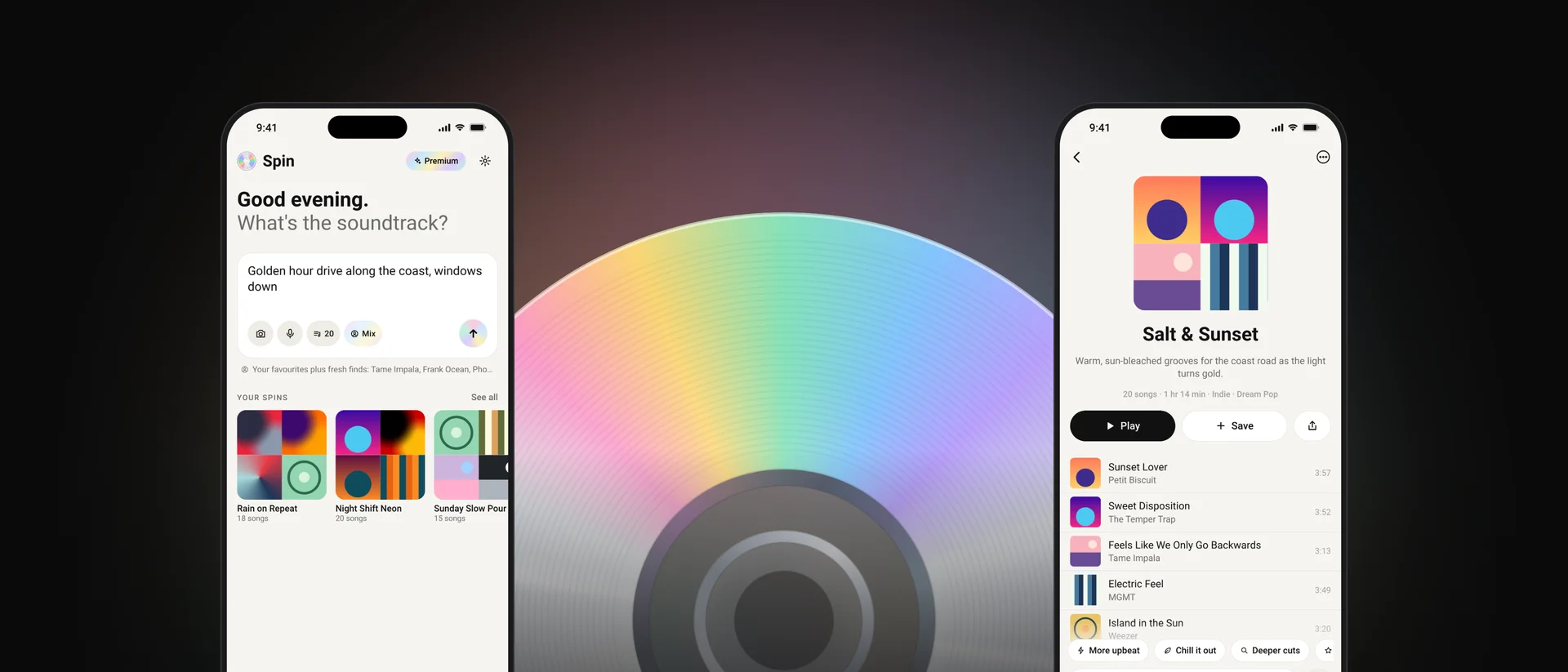
Spin turns a few words, a photo or a voice note into an Apple Music playlist, then lets you shape it by chatting. Describe a mood, a moment or a memory and it curates real songs, sequenced to flow, and tuned to what you actually listen to if you want it to be.
Spotify and Apple Music both ship prompt playlists now, so Spin competes on what they get wrong: rules that are followed, playlists that can be fixed with a sentence, songs you have not heard a hundred times, and no AI filler.
The CD
One mark carries the brand: a CD with Spin’s iridescence. It started as a line-art crate holding a record, then briefly a vinyl, and settled on the disc because the iridescence already defined the accent colour and a CD holds up in both light and dark. It appears in the app icon, beside the name in the app, as the loading animation (the rainbow turns) and across every App Store image.
- Clear rim
- A hairline edge, dark on light backgrounds and light on dark ones, so the disc never washes out.
- Silver data surface
- Metallic, not pastel. It is what makes it read as a CD at a glance.
- Two rainbow bands
- Opposite each other, the way light really catches a disc. Pink, yellow, mint, sky and lilac.
- Light streaks and grooves
- Thin bright streaks plus faint data grooves at larger sizes. Dropped when they would turn to noise.
- Smoky stacking ring
- Where the data ends: a thin, see-through ring with a faint rainbow tint.
- Frosted clamping ring
- The wide white ring of a real disc, kept mostly see-through (20%) so the background glows through.
- Silver bevel and clear centre
- A thin silver ring, then clear plastic around an open hole. Never a black dot.
Colour
Monochrome paper and ink, with one iridescent accent drawn from the disc. Tap any colour to copy it.
Principles
- One typeface
- Roboto everywhere: the app, the App Store art and the share pages. No serif display face, no system mix. Roboto has no semibold, so semibold maps to Medium.
- No shadows
- Everything is flat. Where an edge needs defining, it gets a hairline instead.
- No em dashes
- Nothing the listener reads contains one. That includes playlist names and descriptions the AI writes, which are cleaned on the server and again on the phone.
- Iridescence is earned
- The interface is monochrome. Colour appears only on the CD, the send button and things that are switched on.
- Calm by default
- Ideas only show while the prompt box is empty, and disappear as soon as you type.
App icons
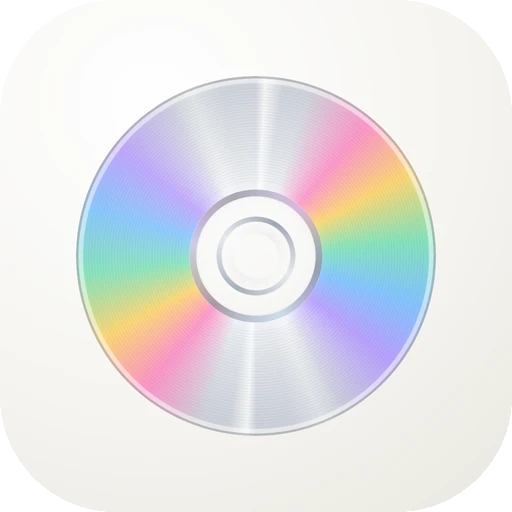
Disc is the default. Ink and Holo can be picked in Settings, and every icon has iOS dark and tinted versions. The icons are fully opaque, as the App Store requires, so the centre shows each icon’s own background rather than true transparency.
 Spin
Product decisions
- Prompt first
- One box for words, voice or a photo replaced a five-step wizard. Song count and taste live inside the box as small menus, not as extra screens.
- Tweak by chatting
- Playlists get refined in place: quick chips like "More upbeat" or "Deeper cuts", or free text like "less rap, more 90s". One tap undoes the last tweak.
- Every song is real
- Each suggestion has to match on Apple Music by both title and artist. A song that cannot be found is dropped, never swapped for something random, and spares cover the gaps.
- Apple Music only
- Spotify now limits apps like Spin to a handful of approved users, so Spin focuses on Apple Music, where search, playback and saving all work properly.
- Taste stays on the phone
- Spin works out your top artists and genres on the device. Only those names are sent, and only when "For you" is on.
- New to me
- An option to skip anything already in your library, because the most common complaint about AI playlists is hearing the same songs again.
- Block an artist
- Long-press any song and choose "Never play" to keep that artist out of every future playlist.
- Real artists only
- Spin only recommends established human artists, never AI-generated filler, in response to AI music flooding other services.
- No keys in the app
- Nothing secret ships inside Spin. Generation runs on a server that owns the prompt, the model and the limits, and premium is proven with an Apple-signed receipt.
- Links open in the app
- Shared playlists open straight in Spin for anyone who has it. Everyone else sees a simple page with the songs and a link to the App Store.
- Apple’s own paywall
- The native StoreKit subscription screen, with restore, privacy and terms built in.
App Store
Ten screenshots that tell the story in the order people use it: describe, curate, tweak, listen, share, save. Tap one to see it full size.
Log
- Nov 2026
- Spin 2.0: rebuilt around a single prompt, chat tweaks, photo input, taste modes, in-app playback, history and share cards.
- Nov 2026
- Brand settles on the CD. The vinyl and the line-art crate are retired for one clear mark.
- Nov 2026
- Roboto becomes the only typeface. Shadows and em dashes are removed everywhere.
- Nov 2026
- New to me, artist blocking and real-artists-only, based on what people say they want from AI playlists.
- Nov 2026
- Shared links move to Spin’s own address and open directly in the app.
- Nov 2026
- The CD’s centre is rebuilt like a real disc: stacking ring, frosted clamping ring at 20%, silver bevel and clear plastic around the hole.